Views
| Tasks | Every task on every computer, grouped, colour coded by
status, with progress bars. Collapse thousands of tasks into one row per project and
application, or expand any group. |
|---|
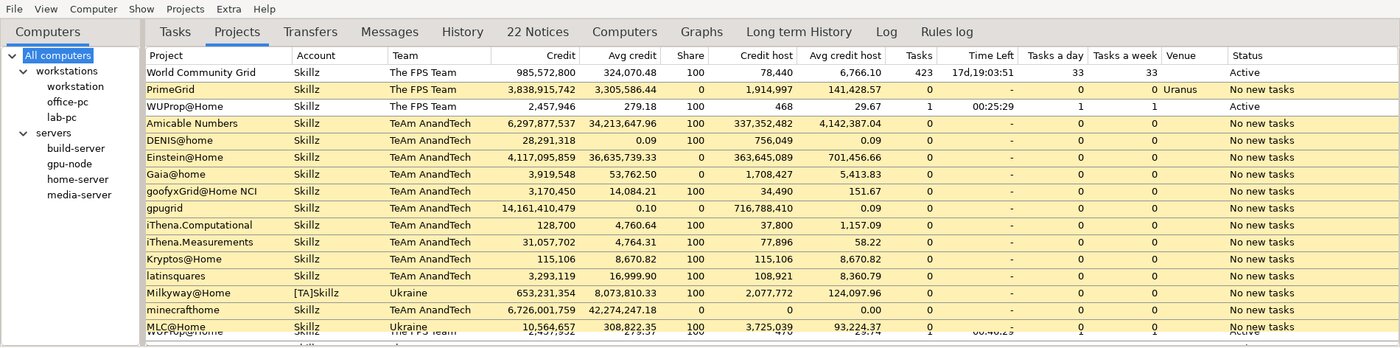
| Projects | Credit, average credit, this computer's share of it, resource share,
task counts, time left, venue, tasks a day and a week. |
|---|
| Transfers | Uploads and downloads in flight, with retry and abort. |
|---|
| Messages | Client messages for the computer you select. |
|---|
| History | Completed tasks, kept locally — BOINC discards them once reported.
With a long-term archive that retention never deletes. |
|---|
| Notices | Project notices, with a count in the tab label. |
|---|
| Computers | Every configured client, editable in place, with a tick box to hide one
without losing its settings. |
|---|
| Graphs | Statistics, tasks over time, data transfer and deadline distribution. |
|---|
Operations
| Tasks | Suspend, resume, abort, properties — on one task or a whole group |
|---|
| Projects | Update, suspend, resume, no new tasks, allow new tasks, reset, detach,
add a project, account manager |
|---|
| Computers | Allow to run, allow network, allow GPU — always, on preferences, or never |
|---|
| Client | Edit BOINC preferences (processor, network, disk, exclusive applications),
proxy settings, cc_config.xml, run benchmarks |
|---|
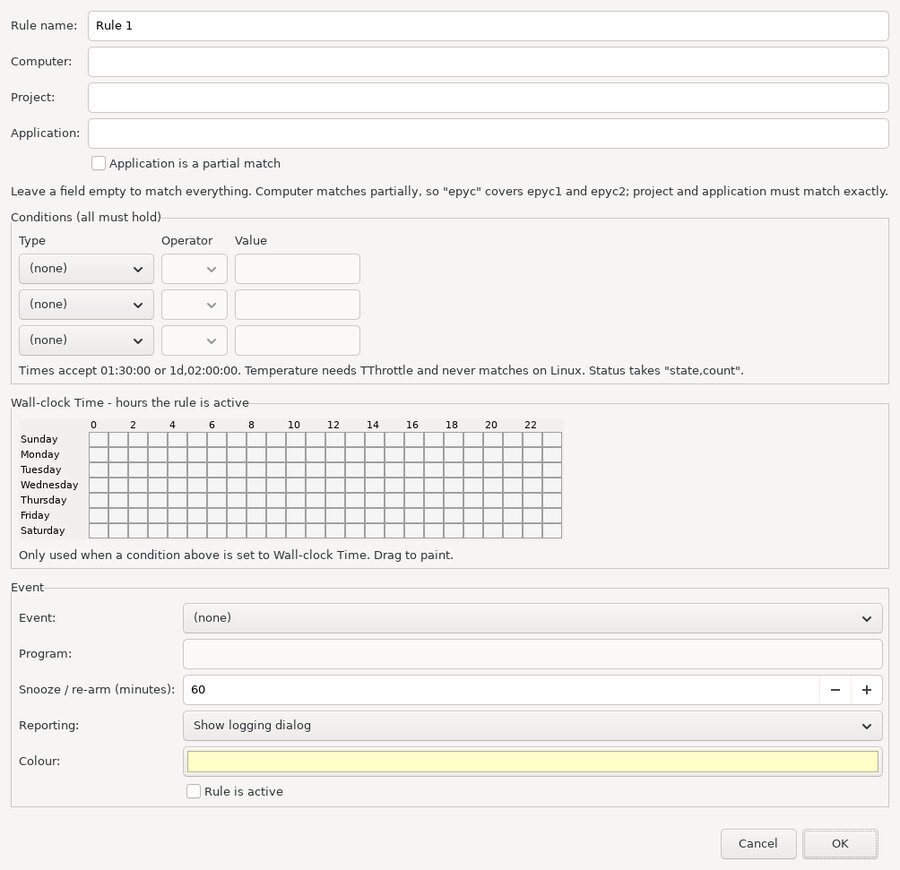
Rules watch for a condition and act on it. A rule matches on computer,
project and application, carries up to three conditions, and fires one event
when they all hold.
Every trigger is recorded in the Rules log, so you can see what fired and why.